
Admins can delete users via the top left menu → User Management. Click the user that needs to be deleted, click the three dot menu and choose Delete user. You will be asked to confirm the deletion.
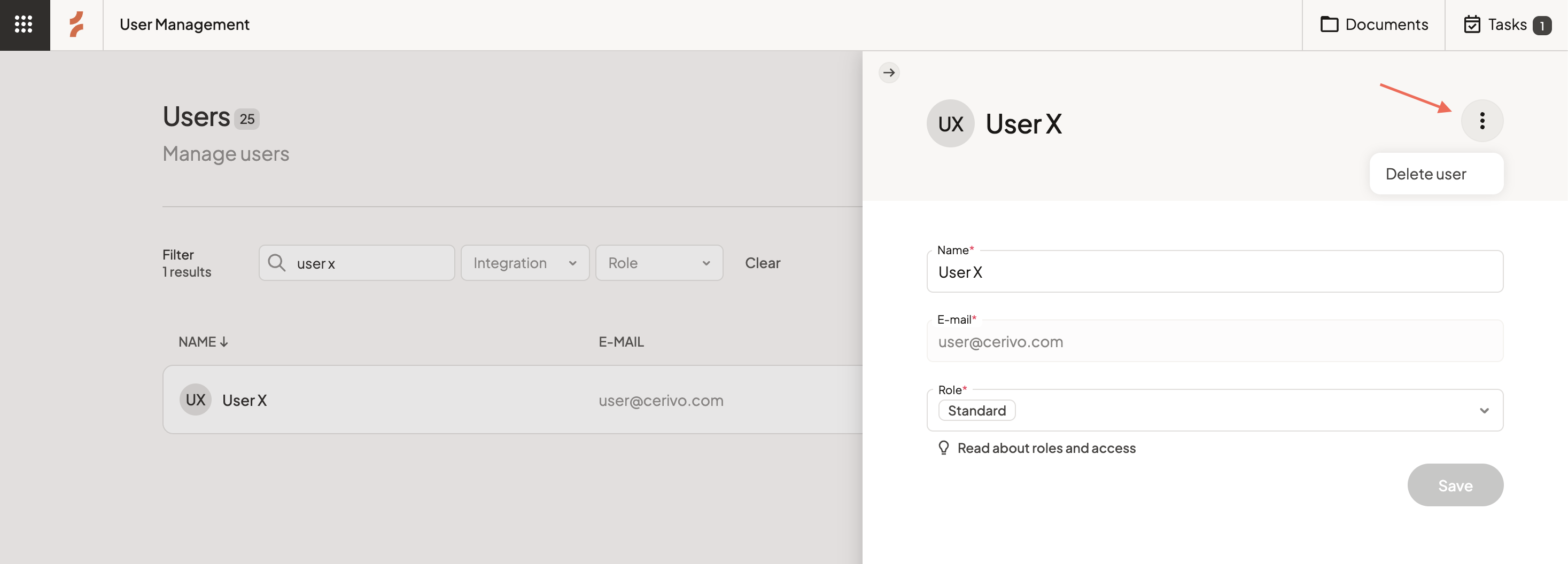
When you delete a user in Cerivo, you don’t lose their work or responsibilities.
Instead, you’re guided through a short process to make sure everything stays clear and accounted for.
Reassign responsibilities before deletion
Before the user is removed, you’ll see an overview of everything they are responsible for, including:
- Systems
- Vendors
- Processing Activities
- Tasks
You can then assign each responsibility to another user.
This ensures nothing is left unowned and work continues without interruption.
Administrator access
As an administrator, you always have full visibility across users and responsibilities.
This allows you to make changes and reassign ownership when needed.
Any questions? Contact us at support@cerivo.com!