
When you’ve mapped your systems, you already have a strong foundation for your Processing Activities.
Cerivo helps you build on this by reusing information from your systems when you create or update a Processing Activity.
What happens when you connect systems
When you link a system to a Processing Activity (in step two of the framework), Cerivo will:
- automatically import data subjects
- automatically import personal data
This gives you a starting point, so you don’t have to enter everything manually.
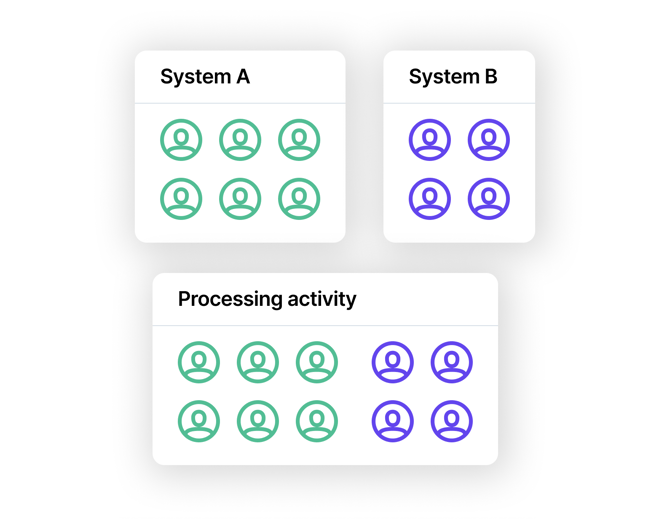
Adjust the data for each activity
After connecting systems, you can update the imported data.
In many cases, you’ll need to:
- remove data that isn’t relevant for the specific Processing Activity
- refine the list to match the actual use of the system in that context
This is expected, as a single system is often used across multiple Processing Activities.
Why the system data is broader
The data mapped in a system reflects everything the system is used for.
Because of this, it will often include more data than what’s relevant for a single Processing Activity.
No automatic updates between systems and activities
There is no dynamic link between systems and Processing Activities.
This means:
- Changes in a system (e.g. adding or removing personal data)
→ are not automatically reflected in connected Processing Activities - Changes in a Processing Activity
→ are not reflected back in the system
Updates must be made manually in both places when needed.

What this means in practice
This setup gives you:
- a faster starting point through reuse of system data
- full control over what is included in each Processing Activity
It also ensures that each activity reflects how data is actually used in context.
Any questions? Contact us at support@cerivo.com!