
Following up on policies happens on the Audience tab.
- Open the policy
- Go to the Audience tab
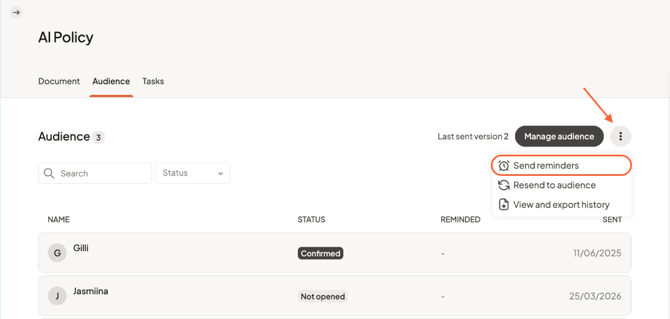
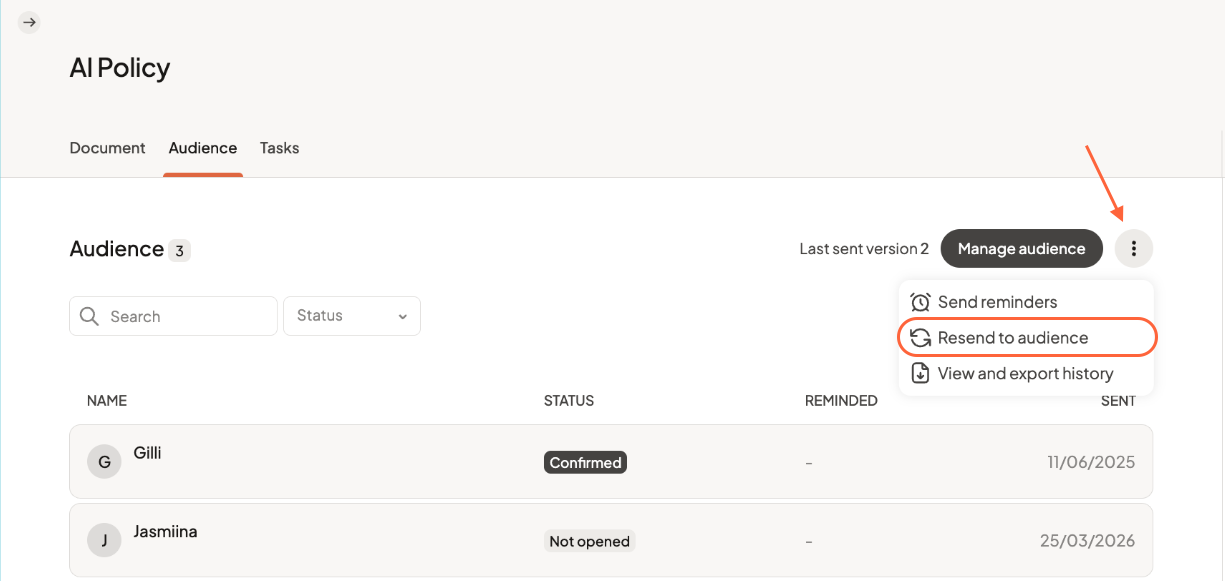
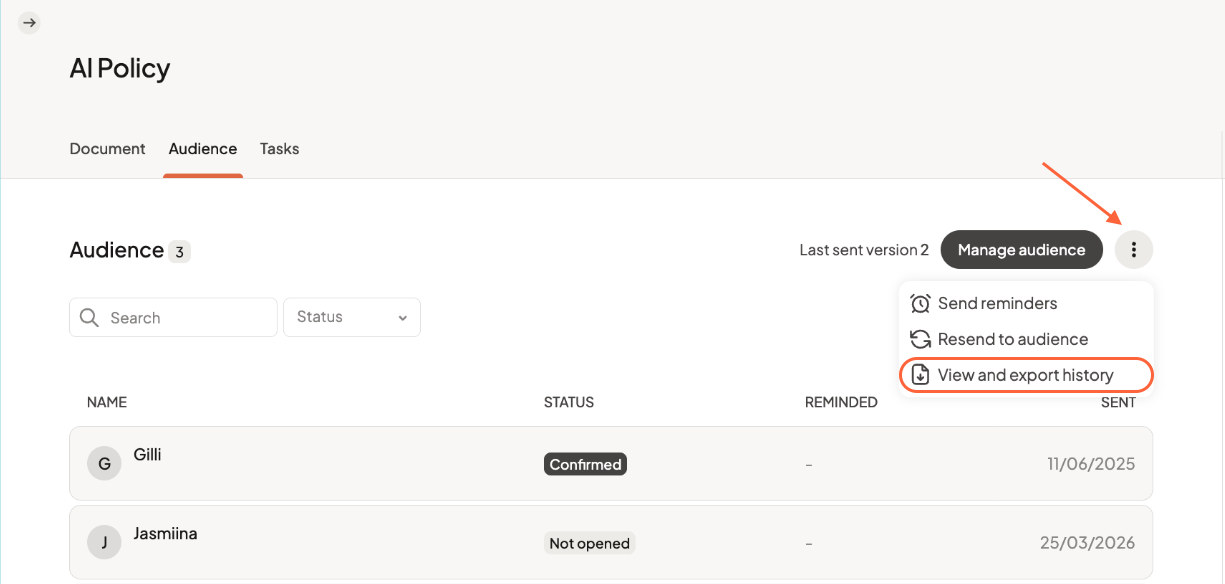
- Click the three-dot menu on the top right
Send reminders
After distributing a policy, you may find that not all users have read and confirmed it.
You can send reminders to ensure follow-up by selecting the option to Send reminders from the three-dot menu.
Reminders will be sent to users who have not yet confirmed the policy.
Redistribute a policy
If a policy has been updated, you may want users to review it again.
Redistributing the policy allows you to resend it to the full audience. To do so, select Resend to audience from the three-dot menu.
When you redistribute a policy:
- all users receive a new notification
- tracking is reset
- users are asked to read and confirm the updated version
Keep your documentation
Before redistributing, you may want to keep a record of previous confirmations. Select View and export history from the three-dot menu.
You can export:
- who confirmed the policy
- when it was confirmed
This helps you maintain documentation over time.
Any questions? Contact us at support@cerivo.com!