
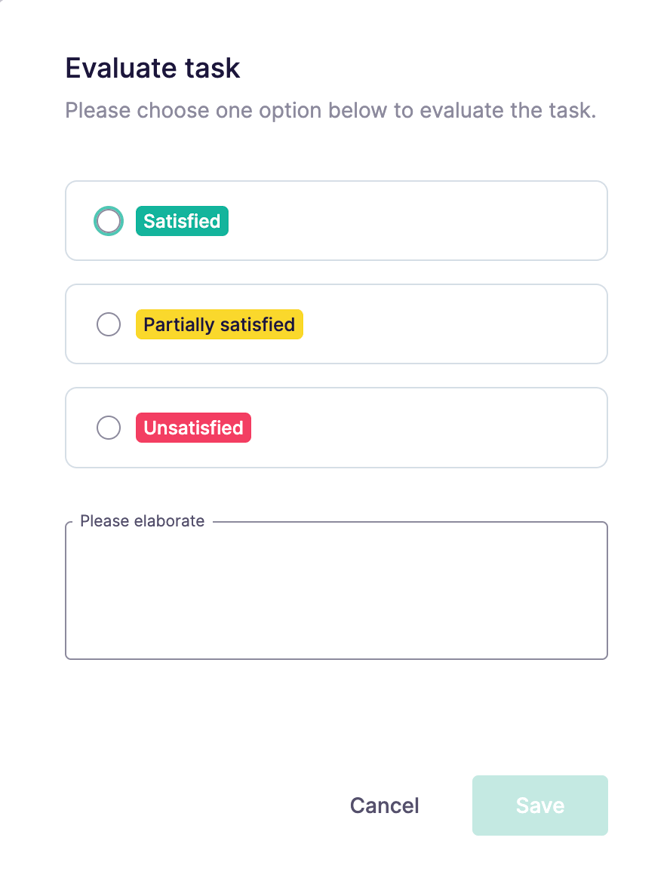
Task evaluations appear when you complete a task in Cerivo.
You’ll be asked to choose one of three outcomes:
- Satisfied
- Partially satisfied
- Unsatisfied
You can also add a comment to provide context.
What are you evaluating?
Task evaluations are about the outcome of the work, not the experience of doing it.
What it’s not
You’re not evaluating:
- how easy or difficult the task was
- how clear the instructions were
- your personal experience completing it
What it is
You’re evaluating the result.
Did the task achieve what it was meant to achieve?
And how confident are you in that outcome?
Examples
Satisfied
You audit a data processor and receive a complete and clear response.
All requirements are met, and nothing raises concern.
This is a satisfactory outcome.
Partially satisfied
You review whether a screening policy is being followed.
Most hires (for example, 95%) were screened, but not all.
There’s clear progress, but also room for improvement.
This is partially satisfactory.
Unsatisfied
You audit a vendor and identify significant issues in how data is handled.
The outcome does not meet your expectations and requires action.
This is unsatisfactory.
Why task evaluations matter
Task evaluations help you turn individual tasks into clear insight.
They allow you to:
- quickly identify issues across tasks and controls
- track how well processes are working over time
- support reporting with consistent, structured data
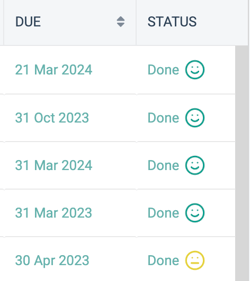
Evaluations are visible in your task overview and included in exports, making it easier to follow up and report with confidence.
How to enable task evaluations
Task evaluations are turned off by default.
To enable them, contact Cerivo support or your Customer Success Manager.
Note: Once enabled, evaluations apply to all tasks. It’s not possible to enable them for only selected tasks.
Any questions? Contact us at support@cerivo.com!