
Choosing the right role helps you keep control, assign responsibility clearly, and ensure the right people have the right level of access.
Admins can add users and configure user roles and permissions via the top left menu → User Management.
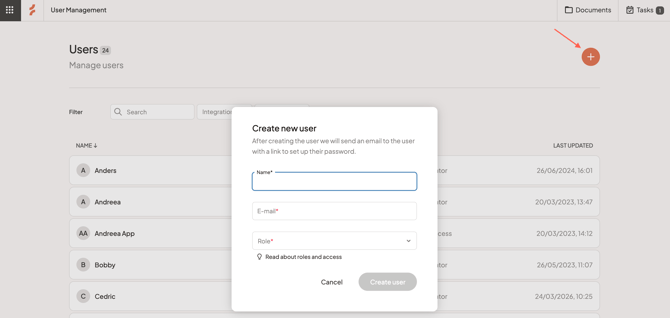
Enter the user's details (name and email address) and choose the correct role for the user from the dropdown. Click the lightbulb icon to Read about roles and access, or read more in this article.
Then, click Create user to add them as a user. They will receive an email with a link to set up their password.
Any questions? Contact us at support@cerivo.com!