
In Cerivo Advance, we have three user roles: Superuser, Manager and Learner. The user roles are assigned on a user level, and a user can have multiple roles assigned to them.
- Superuser: full administrative access of your organisation's Cerivo Advance environment, including user management, course enrollment, and reporting across the entire organisation.
- Manager: can view the progress of learners assigned to them as direct reports.
- Learner: can access courses, track their own progress, and view completed courses and certifications.
In this article, we will deepdive into the Manager role.
Accessing the Manager Experience from Cerivo Advance
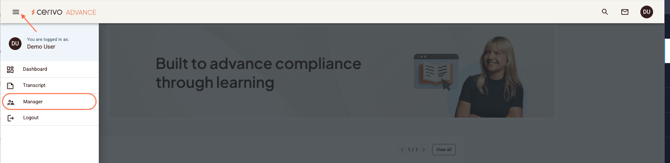
Once you log in to your Cerivo Advance learning environment, you will land on the dashboard page. To navigate to the Manager Experience site, click on the hamburger menu and choose Manager. Only users with Manager access will have the menu item and access to the Manager Experience.
The Manager Experience gives Managers an overview of their direct reports' course progress. It can be filtered using the filtering functionalities on the left side menu.
For instance, below is a Manager view of the two Learners who are directly reporting to the Manager. Click on the Learner to see the overview of courses and course progress.
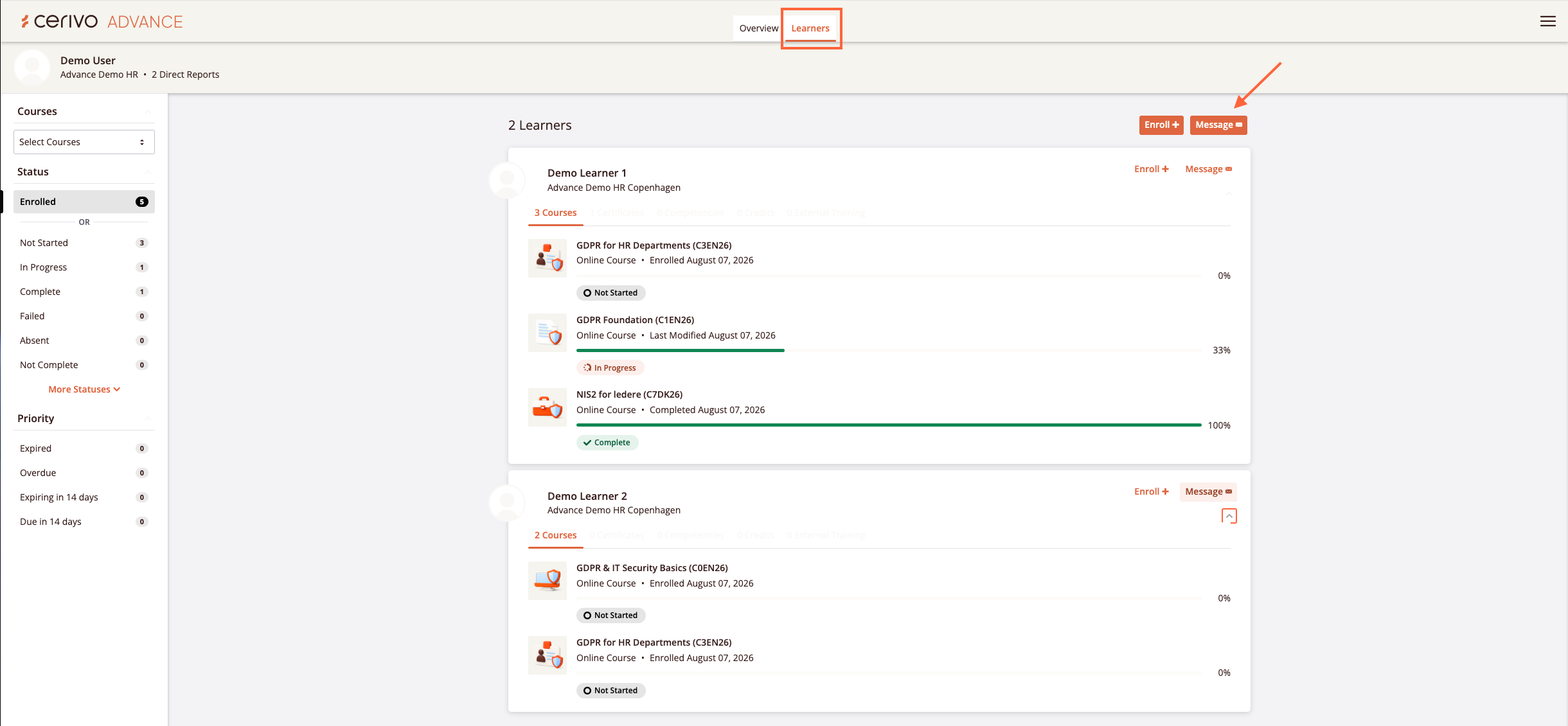
As a Manager, you will only see users who have been assigned to you as direct reports when setting user roles. You can also message the users from here. The messages will be sent via email and show in the Learners' Cerivo Advance platform in their Priority Messages.
If configured, managers can also enrol users to courses. This will be set up in your onboarding and you can contact your CSM in case you are interested to hear more.
Any questions? Contact us at support@cerivo.com!